>> 2026 OpenClaw Parallel Agents on a SlimVps Cloud Mac mini M4 16GB/256GB: Fan-Out Patterns, Disk Lane Isolation, Memory Serialization, Region RTT Arbitrage
Parallel OpenClaw agents are two or more independent OpenClaw AI agent processes running simultaneously on a single Mac, each assigned to a separate macOS user account, dedicated disk workspace, and isolated gateway port — enabling concurrent task execution without shared-state conflicts.
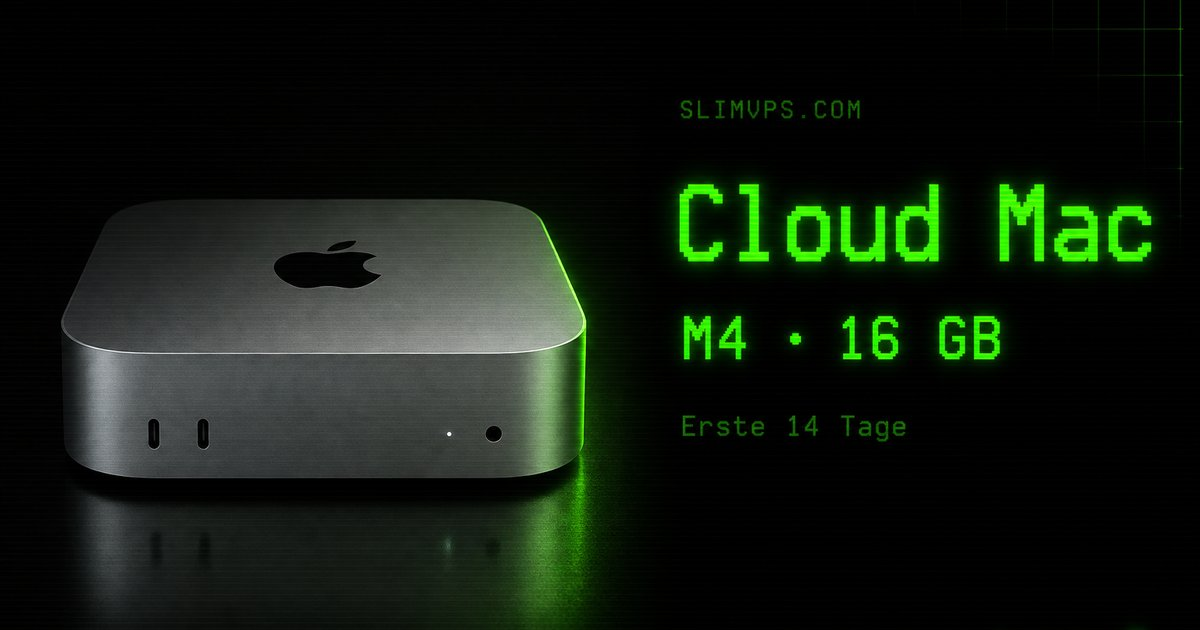
Running a single OpenClaw agent on a rented SlimVps Mac mini M4 16GB/256GB is well-documented. But as workloads grow — review pipelines that must run in parallel, multi-channel bots that must respond concurrently, or split-region fan-out patterns where one coordinator dispatches tasks across geographies — operators discover that 16GB and 256GB can sustain 2–4 concurrent OpenClaw agents with disciplined resource management.
SlimVps is a cloud Mac rental service that provides dedicated Apple Silicon Mac mini M4 machines on short-term (7-day) and monthly plans, hosted across nodes in Hong Kong, Tokyo, Seoul, Singapore, US East, and the UK. Before deploying parallel agents, complete the standard OpenClaw light deploy runbook and review memory, context, and disk budget planning for single-agent limits.
Why 2–4 Agents and Not More
The Mac mini M4 16GB baseline allows approximately 3.5–4 GB usable RAM per agent after macOS reserves (~2 GB), the OpenClaw gateway process (~800 MB), and shared system services. On 256GB NVMe, usable workspace after macOS and apps is roughly 190–210 GB.
| Agent count | RAM per agent (approx) | Risk level | Viable? |
|---|---|---|---|
| 1 | ~13 GB | Low | Yes — baseline |
| 2 | ~6.5 GB | Low | Yes — recommended for most |
| 3 | ~4 GB | Medium | Yes — requires memory serialization |
| 4 | ~3 GB | High | Conditional — disk-bound workloads only |
| 5+ | <2.5 GB | Critical | No — system stability risk |
The practical sweet spot is 2 agents for context-heavy tasks (large code reviews, long conversation chains) and 3–4 agents for disk-bound or I/O-sequential tasks (file processing, static analysis, batch transforms) where each agent's RAM footprint stays below 3 GB.
According to Apple's M4 Unified Memory Architecture documentation, the M4 chip's unified memory design means CPU and GPU compete for the same 16 GB pool. GPU-heavy tool calls reduce available agent RAM further — plan for these explicitly. The OpenClaw project documentation covers the gateway configuration options referenced in this guide.
Disk Lane Isolation
The Collision Problem
Without lane isolation, two OpenClaw agents writing to ~/.openclaw/ simultaneously will corrupt shared workspace indexes, overwrite transcript files, and produce undebuggable launchd failures. The symptom is usually a silent agent hang at the context-rebuild step.
Assigning Dedicated Lanes
Each agent must have a fully isolated home directory for its OpenClaw state. Use dedicated macOS user accounts rather than subdirectories under a shared user:
# Create isolated macOS users for each agent lane
sudo dscl . -create /Users/agent-lane-1
sudo dscl . -create /Users/agent-lane-2
sudo dscl . -create /Users/agent-lane-3

# Assign UIDs sequentially from a safe range
sudo dscl . -create /Users/agent-lane-1 UniqueID 601
sudo dscl . -create /Users/agent-lane-2 UniqueID 602
sudo dscl . -create /Users/agent-lane-3 UniqueID 603

# Set password (use a secret manager — do not hardcode)
sudo dscl . -passwd /Users/agent-lane-1 "<secret>"
Each lane user gets its own ~/.openclaw/ at /Users/agent-lane-N/.openclaw/. This makes log paths, transcript stores, and gateway PID files fully independent.
Disk Budget per Lane
On 256GB NVMe with ~190 GB usable, apply the three-tier disk lane model:
| Lane | Workspace quota | Transcript quota | Log quota | Total per lane |
|---|---|---|---|---|
| Lane 1 | 30 GB | 10 GB | 5 GB | 45 GB |
| Lane 2 | 30 GB | 10 GB | 5 GB | 45 GB |
| Lane 3 | 20 GB | 8 GB | 4 GB | 32 GB |
| Shared / OS reserve | — | — | — | ~68 GB |
Monitor lane disk usage via launchd-scheduled du reports. When any lane exceeds 80% of quota, pause that agent, archive transcripts to object storage, and clear the transcript cache before resuming.
Memory Serialization for 16GB
The Simultaneous Spike Problem
The 16GB failure mode is simultaneous peak RAM: if all three agents enter a tool fan-out phase at the same second, combined RAM use can exceed 14 GB, triggering macOS memory pressure that corrupts active context windows.
Staggered Boot Strategy
Never start all agents simultaneously. Use a staggered boot sequence with a 90-second delay between lanes. The 90-second window allows each agent to load its full context window into RAM before the next agent competes for memory:
# Lane 1 starts immediately
launchctl load /Library/LaunchDaemons/com.slimvps.openclaw-lane1.plist

# Wait 90 seconds — allow lane 1 context load to complete
sleep 90

# Lane 2 starts
launchctl load /Library/LaunchDaemons/com.slimvps.openclaw-lane2.plist

sleep 90

# Lane 3 starts
launchctl load /Library/LaunchDaemons/com.slimvps.openclaw-lane3.plist
Context Window Budget per Lane
In each lane's OpenClaw configuration, set explicit context limits to keep each agent's working RAM at approximately 3.5–4 GB at peak:
| Agent count | Max context per agent | Recommended tool fan-out limit |
|---|---|---|
| 2 agents | 80K tokens | 6 concurrent tool calls |
| 3 agents | 50K tokens | 4 concurrent tool calls |
| 4 agents | 35K tokens | 2 concurrent tool calls |
See the memory, context, and disk budgets guide for the full token-to-RAM mapping table.
Fan-Out Patterns
Pattern 1: Coordinator + Workers
The most reliable pattern for complex parallel workloads. Lane 1 runs a coordinator agent that owns task decomposition and result aggregation. Lanes 2–3 run worker agents that accept narrow, bounded tasks. The coordinator never runs large tool fan-outs — it only reads/writes a shared task queue at a designated disk location (/Users/Shared/openclaw-tasks/). Workers poll this location and claim tasks atomically using lock files.
Disk write to /Users/Shared/openclaw-tasks/ requires correct permissions:
sudo mkdir -p /Users/Shared/openclaw-tasks
sudo chmod 777 /Users/Shared/openclaw-tasks
sudo chown -R root:staff /Users/Shared/openclaw-tasks
Pattern 2: Region-Split Fan-Out
When your API endpoints are spread across multiple cloud regions, assign each lane to a region affinity. Each lane's OpenClaw configuration pins the gateway to the corresponding API base URL, eliminating cross-region latency multiplication:
| Lane | Region affinity | API endpoint pattern | Typical RTT |
|---|---|---|---|
| Lane 1 | Asia-Pacific (HK / Tokyo / Seoul / SG) | *.ap-*.api.example.com | 8–45 ms |
| Lane 2 | US East | *.us-east-*.api.example.com | 140–180 ms |
| Lane 3 | Europe | *.eu-*.api.example.com | 160–220 ms |
For RTT baselines per SlimVps node, refer to the region RTT matrix in the same-day boot guide.
Pattern 3: Time-Sliced Sequential-Parallel
For disk-bound batch workloads, partition the input directory into N equal buckets before any agent starts. Each lane agent receives one bucket path as its only input scope and writes to its own lane output directory. A post-run aggregation step (not an agent) merges outputs. This pattern eliminates shared task queues and lock files, making it the lowest-complexity parallel pattern. It suits static analysis, file transformation, and any workload where input partitioning is trivial.
Gateway Configuration for Parallel Lanes
Each lane runs its own OpenClaw gateway process on a different localhost port. All ports remain bound to 127.0.0.1 — never expose on 0.0.0.0:
| Lane | Gateway port | launchd plist |
|---|---|---|
| Lane 1 | 11430 | com.slimvps.openclaw-lane1.plist |
| Lane 2 | 11431 | com.slimvps.openclaw-lane2.plist |
| Lane 3 | 11432 | com.slimvps.openclaw-lane3.plist |
Access from your SSH session via separate tunnels:
ssh -L 11430:127.0.0.1:11430 \
    -L 11431:127.0.0.1:11431 \
    -L 11432:127.0.0.1:11432 \
    user@<slimvps-host>
Review full gateway security requirements in the OpenClaw security and networking guide. For rate limit management, each lane uses its own API token — never share a single token across lanes. Shared tokens cause 429 cascades where one lane's spike pauses all other lanes. See the gateway channels and rate limits guide for per-lane token rotation procedures.
Monitoring and Health Checks
RAM Pressure Alerting
A monitoring script run every 60 seconds via launchd provides early warning before OOM pressure corrupts agent contexts. When free memory falls below 15%, Lane 3 (lowest priority) is paused automatically:
#!/bin/bash
# /usr/local/bin/openclaw-ram-monitor.sh
MEM_PRESSURE=$(memory_pressure | grep "System-wide memory free percentage" | awk '{print $NF}' | tr -d '%')
if [ "$MEM_PRESSURE" -lt 15 ]; then
  echo "$(date): WARN RAM pressure critical — free ${MEM_PRESSURE}%" >> /var/log/openclaw-ram.log
  launchctl unload /Library/LaunchDaemons/com.slimvps.openclaw-lane3.plist
fi
Lane Health Endpoint
Each lane's gateway exposes a health endpoint at http://127.0.0.1:1143N/health. A coordinating cron script checks all lanes every 5 minutes and logs any non-200 responses to /var/log/openclaw-lanes.log. Unexpected 503s or connection refused on a lane port indicate a launchd restart loop — consult the troubleshooting and repair runbook.
When to Add a Second Mac Instead of a Fourth Lane
Adding a fourth lane to 16GB is high-risk. Use this decision matrix:
| Signal | Action |
|---|---|
| Lane 3 RAM watermark > 3.5 GB at idle | Switch to 2-lane; add a second Mac for the third workload |
| Any lane hitting 80% disk quota within 48 hours | Add NVMe expansion before adding another lane |
| Gateway 429 rate on any lane > 5% in any 10-min window | Switch to dedicated per-Mac token pools (add a second Mac) |
| System memory free < 10% for more than 5 minutes | Immediately pause Lane 3; plan second Mac |
The governance guide covers the formal upgrade decision process, including when to move from 16GB/256GB to the 24GB/512GB SKU.
First-Session Parallel Launch Checklist
Complete this checklist the first time you bring up multi-lane operation:
- Lane users created (
agent-lane-1,agent-lane-2, [agent-lane-3]) with UIDs 601+ /Users/Shared/openclaw-tasks/created with 777 permissions (Coordinator pattern only)- Disk lane quotas documented in
/etc/openclaw-lanes.conf - Each lane's launchd plist has
UserNamematching its lane user - Gateway ports verified: 11430 / 11431 / 11432 bound to
127.0.0.1only - API tokens: one unique token per lane, rotated independently on 30-day cadence
- SSH tunnel verified for each port before starting agents
- Staggered boot script tested (90-second delay confirmed)
- RAM monitor cron installed and producing entries in
/var/log/openclaw-ram.log - First-hour checklist run on each lane independently after boot
Run the first-hour operator checklist on each lane independently after the staggered boot sequence completes.
Conclusion
Parallel OpenClaw agents on a 16GB Mac mini M4 are viable — but only with disciplined resource management. The decision hierarchy is straightforward: start at 2 agents, validate RAM and disk watermarks over 7 days, add a third lane only for disk-bound workloads, and reach for a second Mac before attempting a fourth lane. With per-lane macOS users, staggered boot timing, dedicated gateway ports, and separate API tokens, the 16GB/256GB baseline sustains reliable multi-agent operation without stability risk.
View SlimVps pricing and available Mac mini M4 SKUs to plan your parallel agent deployment.
FAQ
Can I run OpenClaw parallel agents on the Mac mini M4 24GB SKU?
Yes — the Mac mini M4 24GB SKU supports 3 OpenClaw agents comfortably and 4 agents with medium risk. On 16GB: 2 agents comfortably, 3 agents with medium risk. Context window budgets for 24GB: ~65K tokens per agent at 3 lanes, ~45K at 4 lanes.
Do parallel agents share the same OpenClaw version?
All lanes on one Mac must run the same OpenClaw version. Running different versions across lanes with a shared task queue produces incompatible task payloads. Upgrade all lanes simultaneously during a maintenance window; never upgrade one lane while others are running. Follow the post-install governance upgrade procedure.
How do I recover when lane isolation breaks and agents corrupt each other's state?
Stop all lanes immediately. Check /Users/agent-lane-N/.openclaw/ for cross-lane file writes by comparing modification timestamps. Restore corrupted transcript or index files from the most recent backup. The troubleshooting and repair runbook covers the full state-recovery sequence.
What is the minimum SlimVps rental duration to validate a parallel agent setup?
7 days is the minimum meaningful validation period. The first 24–48 hours establish per-lane RAM and disk watermarks; days 3–7 reveal whether those watermarks drift under sustained parallel load. Use a short-rent booking rather than committing to a monthly plan until watermarks are stable for at least 5 consecutive days.
Can parallel agents share a single OpenClaw gateway process?
No. A shared gateway serializes all tool calls through one event loop, eliminating parallel throughput and making per-lane rate limit management impossible. Each lane requires an independent gateway bound to its own localhost port (11430, 11431, 11432).
Related Articles
- GPT-5.6 Predictions: Codex Open Source for Agent Efficiency
- OpenClaw with Ollama — local model tiers, localhost gateway, RAM gates
- OpenClaw backup and disaster recovery: 3 snapshot tiers, 90-minute lane restore, 7-day RTO gate
- OpenClaw light deploy on a Mac mini M4
- OpenClaw memory, context, and disk budgets
- OpenClaw gateway channels and rate limits
- OpenClaw first-hour operator checklist
- OpenClaw troubleshooting and repair
- OpenClaw post-install governance
- OpenClaw security and networking
Deploy Your Parallel Agent Setup
Rent a SlimVps Mac mini M4 16GB/256GB and run up to 3 OpenClaw lanes from day one. Short-rent options available from 7 days — validate before committing to a monthly plan.